How to upgrade
Not sure which plan is right for you? Compare plans →
Go to Billing in your dashboard
Click your profile icon in the top-right corner, then select Billing & Plans. Or click the "Upgrade" banner that appears in your dashboard.
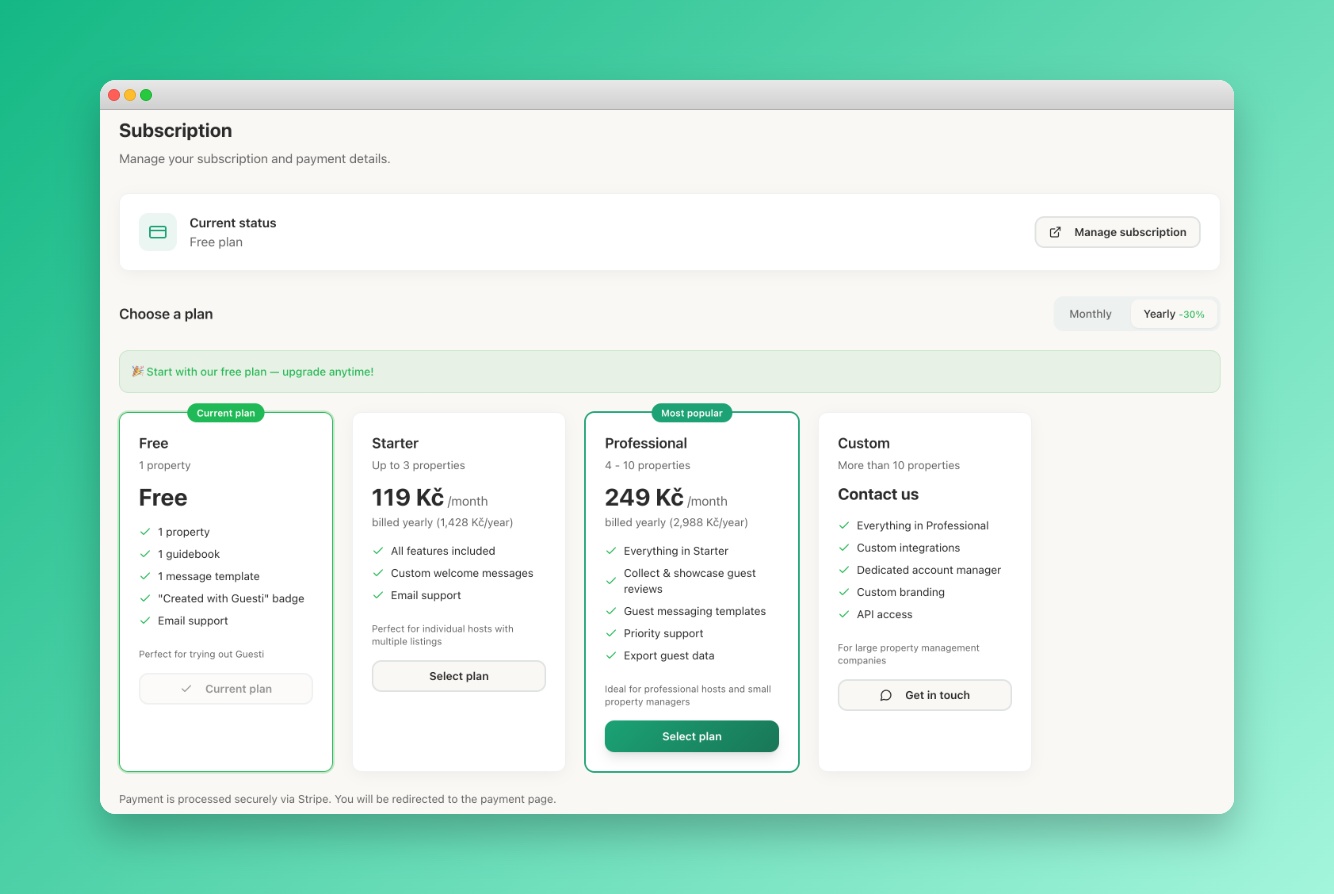 Screenshot: Billing page
The billing and plans page showing the Free and other paid plans you can upgrade to.
Screenshot: Billing page
The billing and plans page showing the Free and other paid plans you can upgrade to.
Choose Monthly or Annual billing
Annual billing saves you 2 months free compared to monthly. You can switch between billing periods at any time.
Click "Upgrade"
You'll be taken to our secure payment page powered by Stripe. Accepted: Visa, Mastercard, American Express, and PayPal.
Paid plans are activated immediately
All paid features unlock instantly. You'll receive a receipt via email. Your billing cycle starts today.
If you're upgrading from within your 14-day trial, you won't be charged until the trial ends. Your billing cycle starts from the trial end date.
What happens to my data?
Upgrading doesn't change any existing data — all your portals, templates, and settings are preserved and enhanced with Pro features. You don't need to rebuild anything.