The Reviews dashboard
Open any property and click Guest Reviews to see all reviews for that property. The dashboard shows each review with the guest's name (if provided), star rating, comment, date, and moderation status.
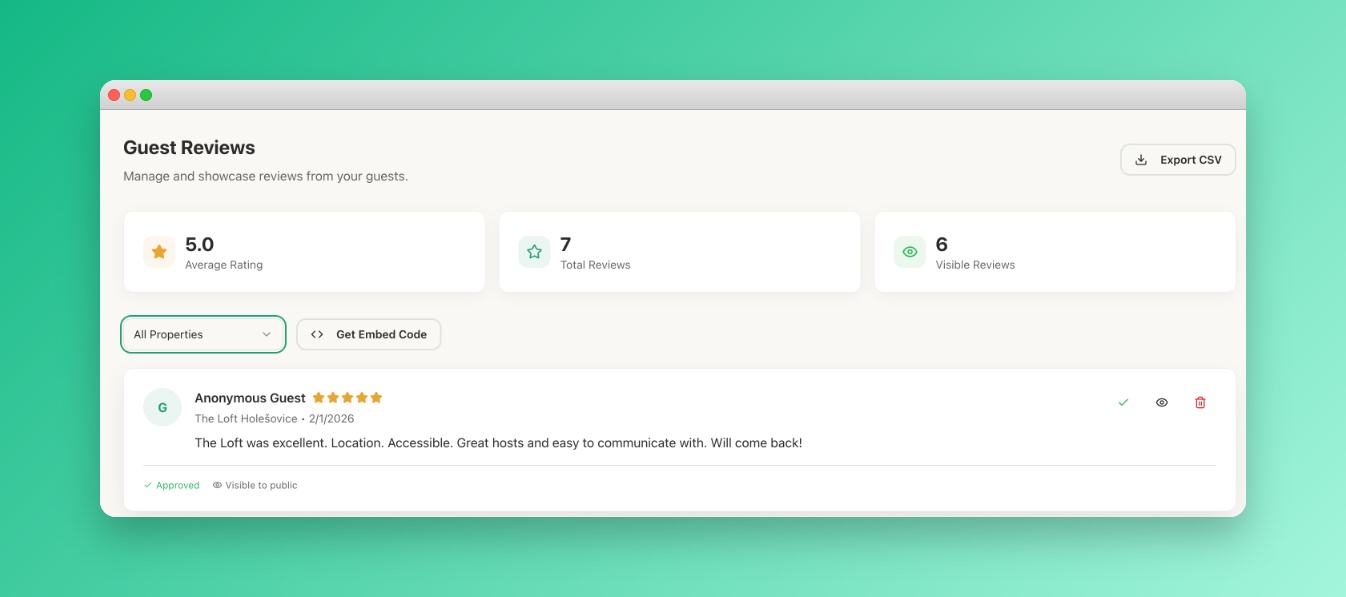 Screenshot: Reviews dashboard
The reviews dashboard showing a list of 5 guest reviews with star
ratings, dates, and Approve/Hide action buttons
Screenshot: Reviews dashboard
The reviews dashboard showing a list of 5 guest reviews with star
ratings, dates, and Approve/Hide action buttons
Moderating reviews
Each review can have one of three statuses:
- Pending — newly submitted, not yet reviewed by you.
- Approved — visible publicly in your portal and embed widget.
- Hidden — not visible publicly, but preserved in your dashboard.
Approving a review
Click Approve on any pending review. It will appear publicly in your portal immediately.
Hiding a review
If a review is inaccurate, spam, or you'd rather not display it, click Hide. The review remains in your dashboard but is not shown publicly. You can re-approve it at any time.
Only moderate reviews in good faith. Hiding negative but genuine feedback undermines guest trust. Use hiding for spam, abusive content, or clear mistakes — not simply for low scores.
Replying to reviews (coming soon)
A reply feature is on our roadmap. When available, your reply will be displayed below the guest's review in your portal. We'll notify you when this launches.